
Official website: www.desktopcallrecorder.com
Download link: Recorder3Setup.exe
Desktop Call Recorder 3.1 is available. This is the first release of the 3.x line. The two main additions are transcription of recorded calls and a built-in player.
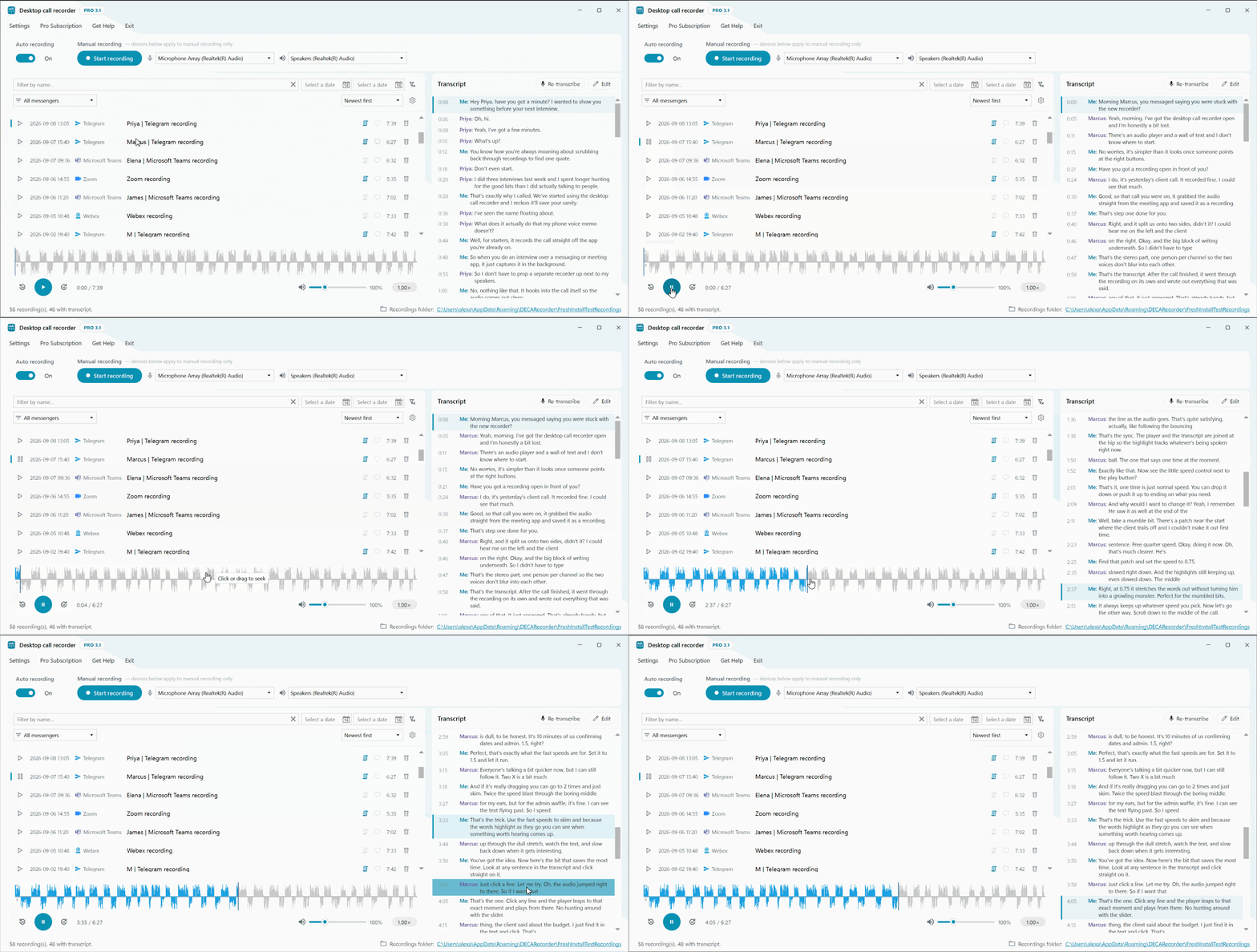
Transcription
The recorder can now convert a recording to text. Transcription runs on your computer and uses the CPU. The audio is not uploaded anywhere and no account is needed.
- To transcribe a call, press Transcribe next to it in the recordings list. To have every new call transcribed after it ends, turn on "Transcribe new recordings automatically" in Settings, Transcription. It is off by default.
- There are three models: base (about 142 MB, downloaded automatically), small (about 466 MB) and large-v3-turbo (about 1.6 GB). Larger models are more accurate but need more memory and time. The app shows a warning if your PC may not have enough RAM for the selected model.
- Your microphone and the other side of the call are recorded on separate stereo channels, so each line in the transcript is marked with the speaker.
- A transcript can be edited line by line, for example to fix a name. Re-transcribe runs the transcription again, which is useful after switching to a larger model.
- The transcript is saved next to the MP3 as a .txt file and an .srt subtitle file.
Built-in player
Recordings now open in the recorder itself, an external audio player is no longer needed.
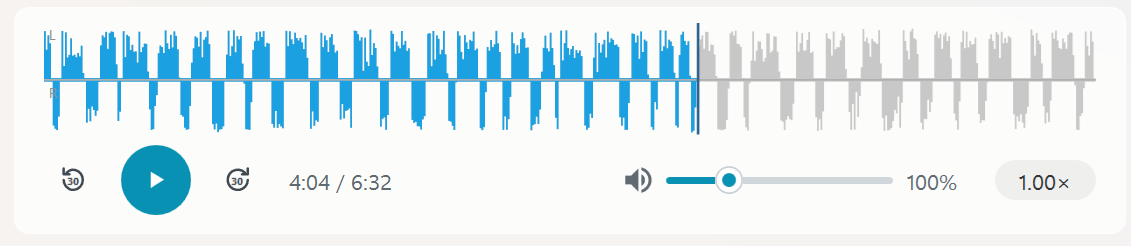
- The waveform shows both channels: you on top, the other side below. Click on it to jump to any position.
- Playback speed from 0.5x to 2x in 0.25 steps. The pitch does not change.
- Volume up to 400% for quiet recordings.
- The skip buttons and the left and right arrow keys move 30 seconds back and forward.
Transcript during playback
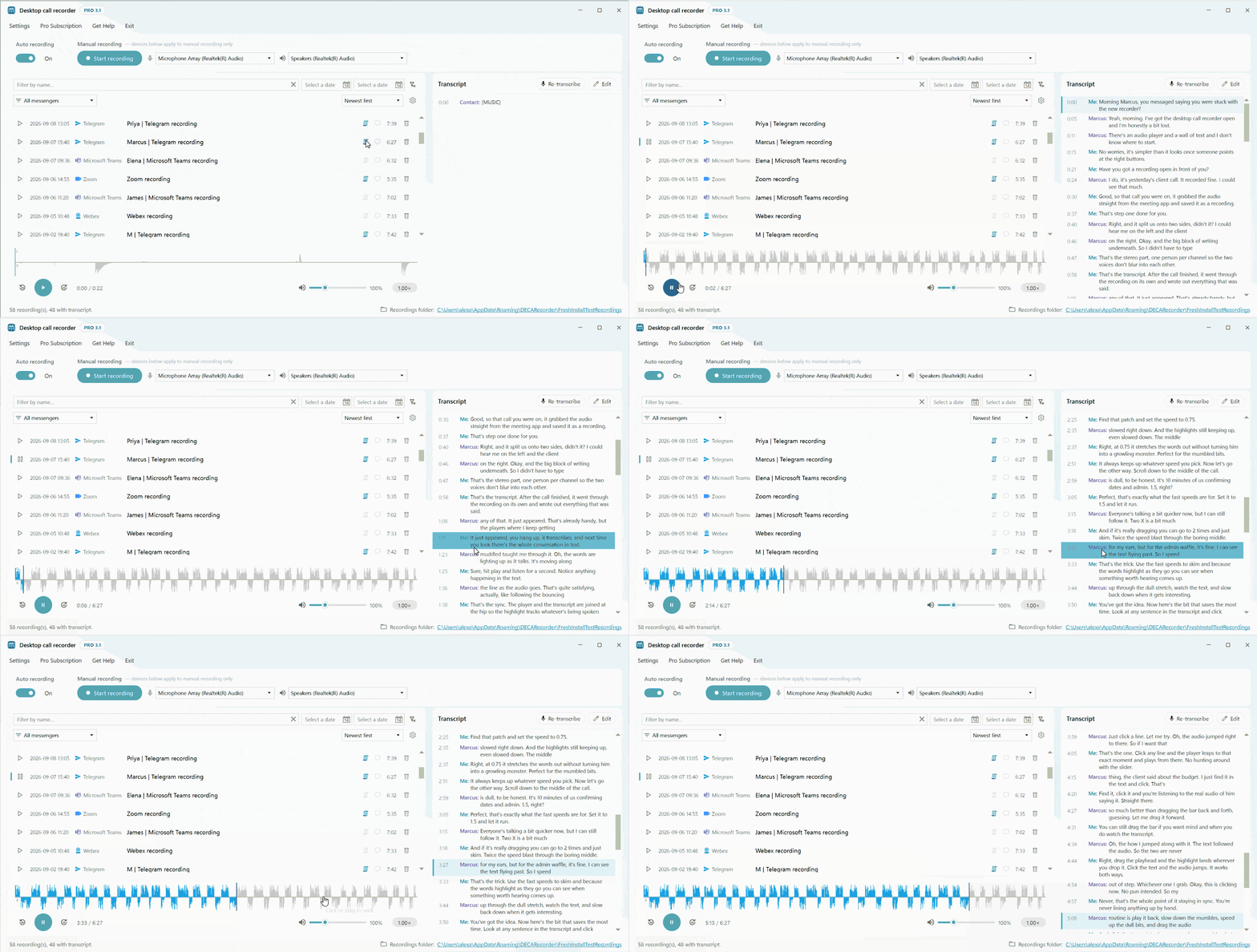
If a recording has a transcript, the current line is highlighted while the recording plays. Clicking a line moves playback to that place. Useful when you need to find one place in a long call.
Other changes
- The recordings list can be filtered by name, date range and messenger, and sorted by date, name or messenger.
- New look of the main window, new application icon, and tray icons that show whether a recording is in progress.
- Detection of calls in the browser was rewritten for current Chrome and Edge versions.
- Fixed: a recording could get stuck during a Microsoft Teams call, and Edge was sometimes shown as the calling app.
- Fixed: Windows system sounds could stop an active recording.
- If echo cancellation fails during a call, the recorded audio is kept.
- New Pro subscription window with the expiry date, a link to manage the subscription and a button to deactivate the key on this PC. Monthly billing is available.
In the free version the first 3 minutes of each call are transcribed. Pro has no limit.
Manuals: Automatic transcription, Built-in player